The duplicate key that eats your config - and the 180-line CLI that catches it
A repeated key in a dict literal or a JSON object is not an error in Python - it silently keeps the last value and drops the rest. Here is dupekey, a tiny offline CLI that finds that quiet correctness bug in both your Python source and your JSON, and fails CI before it ships.
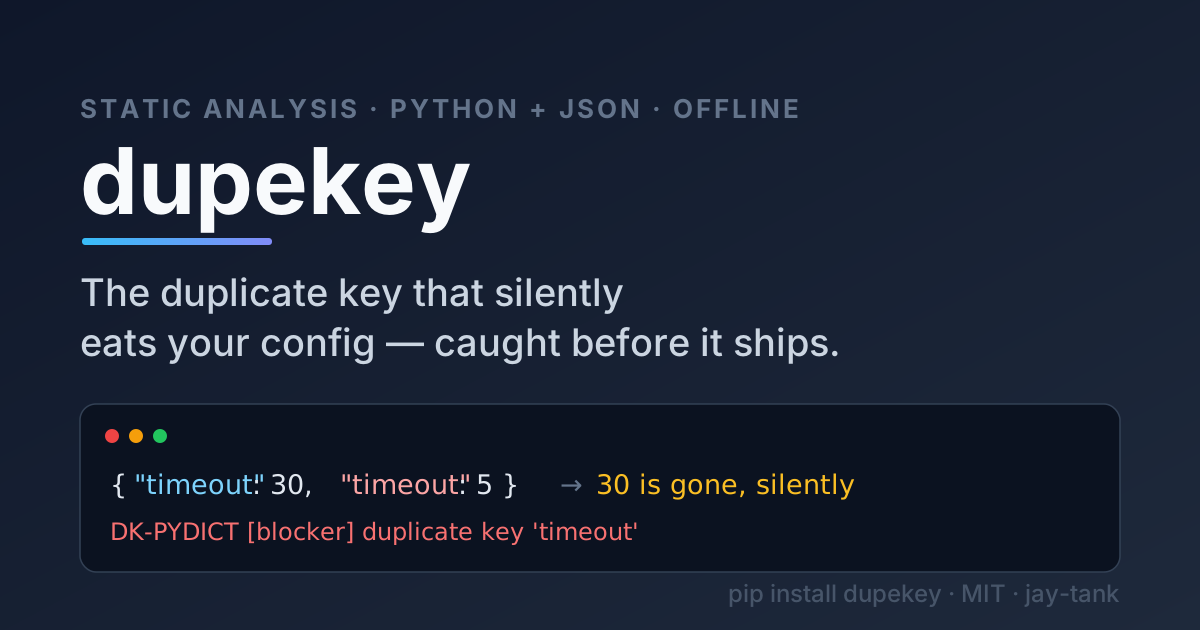
A few weeks ago I spent the better part of an afternoon on a bug that turned out to be one character of carelessness. A service had a timeout of 5 seconds in production even though the config "clearly" set it to 30. The dict looked fine at a glance. It was not fine.
SETTINGS = {
    "host": "localhost",
    "timeout": 30,
    "retries": 3,
    "timeout": 5,
}
Two "timeout" keys. Python does not consider this an error. It evaluates the literal left to right and the last assignment wins, so SETTINGS["timeout"] is 5 and the 30 never existed as far as the running program is concerned. No exception, no warning, nothing in the logs. The 30 is just gone.
This is one of those bugs that is obvious once you see it and nearly invisible until you do. So I built a small tool that sees it for me, every time, in CI. It is called dupekey.
Why this is worse than it looks
The reason this bug survives code review is that every individual piece of it is normal. A dict with four entries is normal. A key called timeout is normal. A merge of two config blocks into one literal is normal. The defect only exists in the relationship between two lines that may be dozens of rows apart, and our eyes are bad at that.
It shows up in more places than hand-written config:
- Feature-flag maps where a flag gets added twice during a rushed release and the second one silently shadows the first.
- Test fixtures built as a big dict literal, where a duplicated id quietly drops a row and your "10 cases" are really 9.
- JSON config and API payloads, where
json.loadshas exactly the same last-wins behaviour:
>>> import json
>>> json.loads('{"port": 8080, "retries": 3, "port": 9090}')
{'port': 9090, 'retries': 3}
- Set literals, where a repeated element is harmless to correctness but is almost always a copy-paste mistake worth knowing about:
{80, 443, 8080, 443}.
The frustrating part is that the standard tools mostly stay quiet. Some Python linters catch a subset of duplicate dict-literal keys, but they do not look at your JSON at all, and nothing gives you a single, zero-dependency gate that covers both and returns a non-zero exit code so a build fails. That gap is the whole reason dupekey exists.
What dupekey does
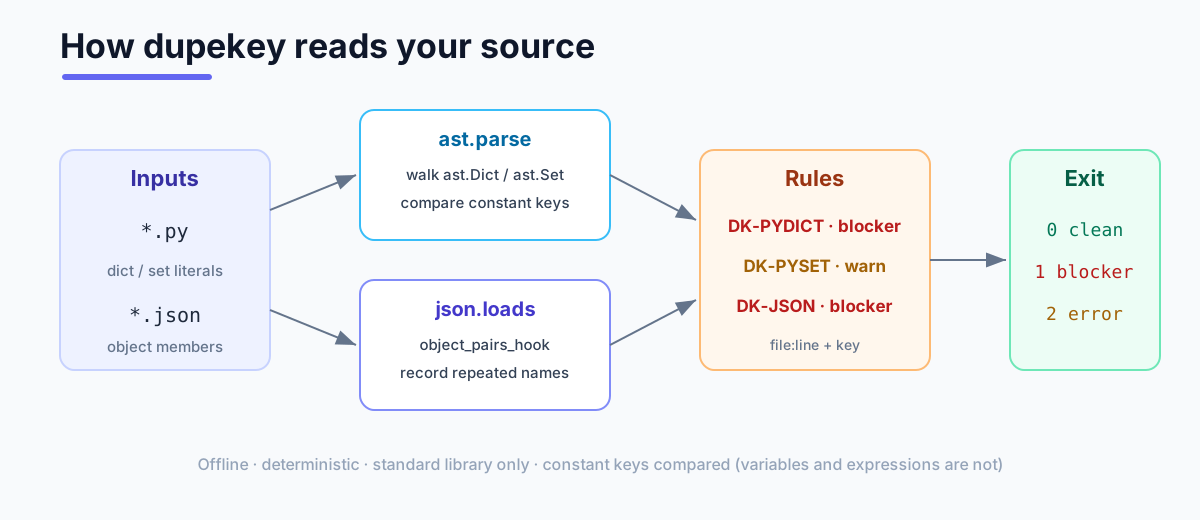
dupekey is a command-line static analyser. It reads your files without running them, finds duplicate constant keys, prints file:line plus the offending key, and exits non-zero when it finds a blocker so your pipeline stops.

It has exactly three rules:
| Code | Severity | What it flags |
|---|---|---|
DK-PYDICT |
blocker | A Python dict literal with two equal constant keys. |
DK-PYSET |
warn | A Python set literal with a repeated constant element. |
DK-JSON |
blocker | A JSON object with a repeated member name. |
Run it at a file, several files, or a whole directory:
$ dupekey examples/
examples/bad.json:5: DK-JSON [blocker] duplicate key "port"
examples/bad.py:7: DK-PYDICT [blocker] duplicate key 'timeout'
examples/bad.py:12: DK-PYSET [warn] duplicate key 443

dupekey: 3 finding(s) - 2 blocker(s), 1 warning(s).
$ echo $?
1
Clean code says so and exits 0. A warning-only run (just DK-PYSET) also exits 0, because a repeated set element is a smell, not a correctness blocker. Only DK-PYDICT and DK-JSON drive the exit code to 1.
How it works, briefly
The whole thing is standard library - ast and json - which is why it has no dependencies and runs offline and deterministically.
For Python, dupekey parses the file into an abstract syntax tree and walks every ast.Dict and ast.Set node. For each one it collects the keys (or elements) that are constant literals and checks whether any two are equal:
for node in ast.walk(tree):
    if isinstance(node, ast.Dict):
        seen = {}
        for key_node in node.keys:
            ident = _const_identity(key_node)   # None unless str/int/bool/None
            if ident is None:
                continue                        # variables/expressions: skip
            if ident in seen:
                emit("DK-PYDICT", key_node.lineno, key_node)
            else:
                seen[ident] = key_node
The important detail is _const_identity returning None for anything that is not a plain str, int, bool, or None. That is a deliberate choice, and it is where the tool earns its trust (more on that below).
For JSON, the trick is that json.loads normally hides the problem from you - by the time it returns a dict, the duplicate is already gone. So dupekey hooks into the parse with object_pairs_hook, which hands you every member as an ordered list of pairs before de-duplication, and records any name it sees twice:
def hook(pairs):
    seen = set()
    for key, _ in pairs:
        if key in seen:
            recorder.append(key)
        else:
            seen.add(key)
    return dict(pairs)
Low false positives, on purpose
A linter you cannot trust gets turned off, so dupekey is conservative by design.
It only compares constant keys. If your keys are variables or expressions, dupekey says nothing:
a = "x"
b = "x"
{a: 1, b: 2}          # not flagged - a static tool can't know a == b
{f(): 1, f(): 2}      # not flagged - f() could return anything
A tool that guessed here would cry wolf constantly. dupekey would rather stay silent on the ambiguous case than train you to ignore it.
It does not do cross-type collapse. Python actually treats 1, True, and 1.0 as the same dict key, but flagging {1: ..., True: ...} would surprise more people than it would help, so dupekey keeps them distinct and ignores float and bytes keys entirely. That is a documented limit, not an accident.
JSON line numbers are best-effort. object_pairs_hook does not expose source positions, so dupekey locates the line by scanning for the quoted member name. For the flat config and data files where this bug actually bites, that is exact.
When you genuinely mean to have a duplicate - say, a documented override - you can suppress it. In Python, add a comment on the offending line:
CONFIG = {
    "timeout": 30,
    "timeout": 5,  # dupekey: ignore
}
JSON has no comments, so dupekey reads a sidecar file named <file>.dupekeyignore listing the member names to skip.
Put it in CI
Because a blocker exits 1, wiring dupekey into a pipeline is a one-liner:
- name: Check for duplicate keys
  run: |
    pip install dupekey
    dupekey src/ config/
Any duplicate key in your Python literals or JSON files now fails the build with a precise file:line instead of surfacing as a confusing production incident three weeks later.
Try it
dupekey is MIT-licensed and on GitHub:
https://github.com/jay-tank/dupekey
pip install dupekey
dupekey path/to/your/code
It is a small tool for a small bug - but it is the kind of small bug that costs you an afternoon and a little bit of faith in your config files. I would rather let the machine catch it.
About the author
- Cloud & Platform Engineer focused on building systems that scale and endure. I explore how infrastructure, automation, and engineering practices come together to support modern software teams.
Comments
Join the discussionNo comments yet. Be the first to comment.