OpenAI API key exposed in the browser: NEXT_PUBLIC_, VITE_ and dangerouslyAllowBrowser explained
One prefix on an environment variable is enough to put your OpenAI or Anthropic key into the JavaScript every visitor downloads. Here are the five ways AI API keys reach the browser, how to move the call to the server, and BrowserKey, a free VS Code extension that catches each of them before you deploy.
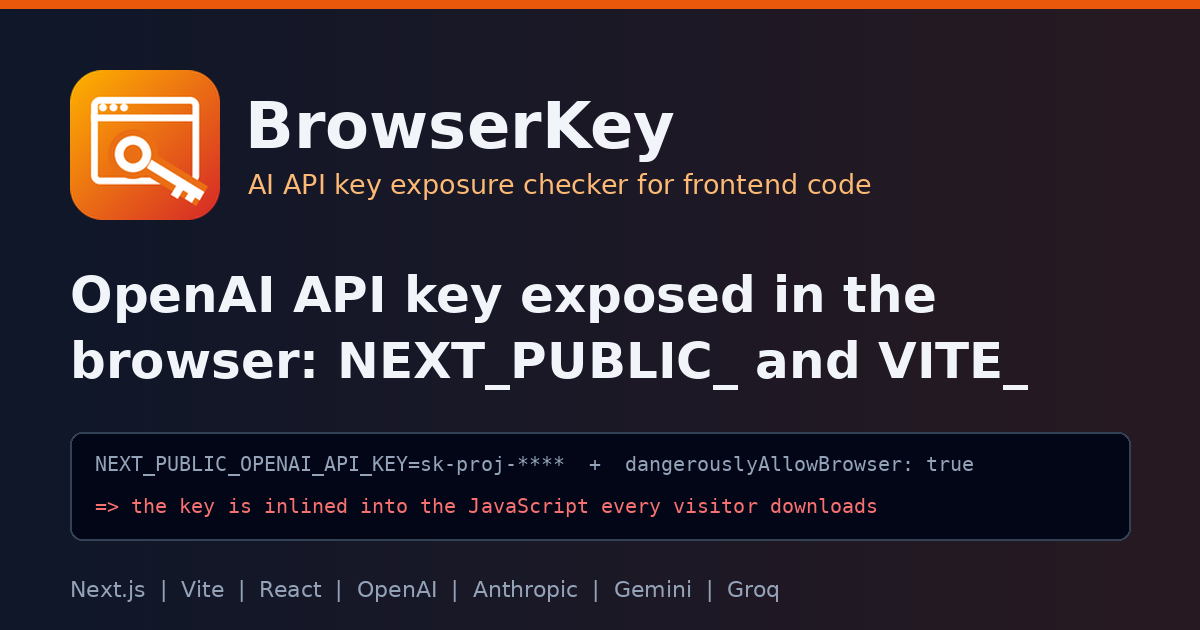
Here is a chat feature built the fast way. It is a made-up example, but every line of it is something I have seen in real frontend code:
# .env.local
NEXT_PUBLIC_OPENAI_API_KEY=sk-proj-****************
// app/chat/Chat.tsx
"use client";
import OpenAI from "openai";

const openai = new OpenAI({
  apiKey: process.env.NEXT_PUBLIC_OPENAI_API_KEY,
  dangerouslyAllowBrowser: true,
});
The first version used OPENAI_API_KEY and the client said "undefined". Adding NEXT_PUBLIC_ fixed that. Then the SDK refused to run in the browser, and dangerouslyAllowBrowser: true fixed that too. The feature works. And your OpenAI API key is now exposed in plain text in a JavaScript file that anyone can open from DevTools, copy, and spend on until you notice the bill.
TL;DR: variables prefixed with
NEXT_PUBLIC_,VITE_,REACT_APP_(andEXPO_PUBLIC_,NUXT_PUBLIC_,GATSBY_, SvelteKit and AstroPUBLIC_) are inlined into client code at build time. The OpenAI and Anthropic JS SDKs block browser use by default for exactly this reason, anddangerouslyAllowBrowser: trueturns that guard off. An AI key also leaks through bundlerdefine, a server-only variable read in a"use client"component, or a key pasted into frontend code. Keep the key in a server-only variable and call the provider from a server route. BrowserKey checks all five paths in VS Code.
Why an OpenAI API key ends up exposed in the browser
Frontend frameworks split environment variables into two groups, and the split is just a name prefix.
Next.js. The environment variables guide says non-NEXT_PUBLIC_ variables are only available in the Node.js environment. With the prefix, Next.js replaces process.env.NEXT_PUBLIC_... with a hard-coded value at build time, and "it will be inlined into any JavaScript sent to the browser."
Vite. The env and mode guide says variables prefixed with VITE_ are exposed in client-side source code after bundling, and has a "Protecting secrets" note: "VITE_* variables should not contain sensitive information such as API keys."
Create React App. The CRA docs put it in a warning box: "Do not store any secrets (such as private API keys) in your React app!"
So the prefix is not a configuration detail. It is a decision to publish the value. For an analytics ID, that is fine. For an AI provider key, it means anyone can call the API on your account.
dangerouslyAllowBrowser: the SDK already warned you
The official SDKs see this coming. The openai-node README lists web browsers as "disabled by default to avoid exposing your secret API credentials", and explains that enabling dangerouslyAllowBrowser "exposes your secret API credentials in the client-side code". The Anthropic TypeScript SDK README uses the same wording. When the SDK throws in the browser, the error is the feature. Setting the flag to true silences the one check that was about to save you.
There is one legitimate use: an app where each user pastes their own key, which stays in their browser. That is a different threat model, and it is the only case where the flag is reasonable.
The five ways AI keys reach the bundle
- A public prefix on the key.
NEXT_PUBLIC_OPENAI_API_KEY,VITE_ANTHROPIC_KEY,REACT_APP_GEMINI_API_KEY, in.env, a CI workflow, a Dockerfile or compose file. - Reading that public variable in client code. The
.envline is the cause, theimport.meta.env.VITE_...read is where it gets shipped. dangerouslyAllowBrowser: trueon anOpenAI,AzureOpenAI,AnthropicorGroqclient.- A server-only variable in a client file.
process.env.ANTHROPIC_API_KEYinside a"use client"component isundefinedin the browser. The call fails, and the usual "fix" is to add a public prefix, which brings you back to path 1. - Build-config inlining. Vite
define, webpackDefinePluginorEnvironmentPlugin,envinnext.config, or anenvPrefixso wide it publishes everything. These replace the expression with the literal value at build time, prefix or not.
And the sixth, always: a key pasted straight into a component "just to test".
How to fix it by hand
Move the provider call to the server, and have the page call your own route:
// app/api/chat/route.ts (runs on the server)
import OpenAI from "openai";

const openai = new OpenAI({ apiKey: process.env.OPENAI_API_KEY });

export async function POST(req: Request) {
  const { message } = await req.json();
  const res = await openai.responses.create({ model: "gpt-4.1-mini", input: message });
  return Response.json({ text: res.output_text });
}
// app/chat/Chat.tsx (client)
const res = await fetch("/api/chat", { method: "POST", body: JSON.stringify({ message }) });
Then:
- Rename
NEXT_PUBLIC_OPENAI_API_KEYtoOPENAI_API_KEYeverywhere (.env, CI secrets, hosting settings). - Remove
dangerouslyAllowBrowser. - Rotate the key. If it was ever in a deployed bundle, assume someone has it. Removing it from the code does not remove it from old builds, CDN caches or archived copies.
- Add rate limits and auth to your new route, since it is now the thing that spends money.
In a Vite single-page app with no server, the same idea applies: a small serverless or edge function holds the key, and the browser calls that.
BrowserKey: catch AI API keys before they reach the browser
I built BrowserKey, a free VS Code extension that finds AI provider API keys on their way into browser or app bundles. It knows the public prefixes of Next.js, Vite, Create React App, Expo, Nuxt, Gatsby, SvelteKit and Astro, the SDKs with a dangerouslyAllowBrowser option, and the key formats of OpenAI, Anthropic, Groq, xAI, OpenRouter, Perplexity, Hugging Face, Replicate and Gemini. Secrets are always masked in its output, and it runs fully offline.
code --install-extension jaytankdev.browserkey
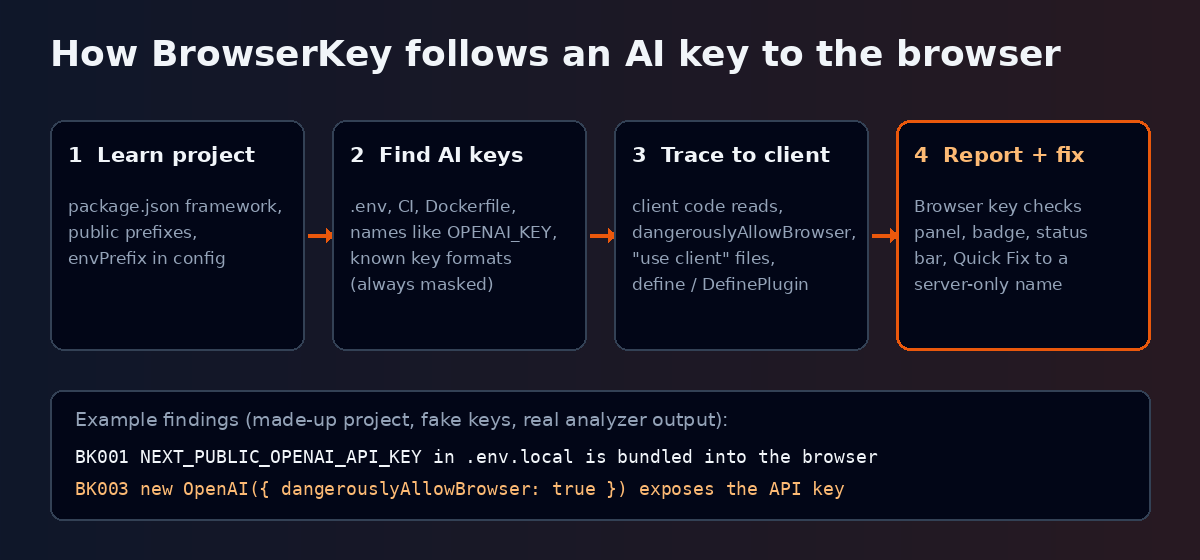
On a small made-up project (the Next.js chat above plus a Vite folder, fake keys only), BrowserKey reports this. These are the real panel labels from its analyzer:
- BK001 in
.env.local: "NEXT_PUBLIC_OPENAI_API_KEY in .env.local is bundled into the browser", with the Quick Fix "Rename to OPENAI_API_KEY (server-only)". - BK002 in
Chat.tsx: "NEXT_PUBLIC_OPENAI_API_KEY read in client code is shipped to the browser". - BK003 in
Chat.tsx: "new OpenAI({ dangerouslyAllowBrowser: true }) exposes the API key". - BK004 in
Chat.tsx: "server-only ANTHROPIC_API_KEY read in a "use client" component" (a warning, since the key is not shipped yet). - BK005 in
web/vite.config.ts: "OPENAI_API_KEY inlined into the bundle by vite define". - BK006 in
web/src/ai.ts: "hardcoded OpenAI key sk-proj-**** in browser code".
Each diagnostic has a longer explanation. For BK003 it reads: "The SDK disables browser use by default "to avoid exposing your secret API credentials": any visitor can read the key from the page and spend on it." Every message ends with the same advice: keep the key in a server-only variable and call the provider from a server route.
The BrowserKey icon in the activity bar opens the Browser key checks panel with every finding, a badge with the count, and a status bar item that shows BrowserKey: N. There is a command to open the framework or SDK doc behind each finding.
The rules
| ID | What it catches | Default |
|---|---|---|
| BK001 | Public-prefixed variable holds an AI provider key | Error |
| BK002 | Public AI key read in client code | Error |
| BK003 | SDK client created with dangerouslyAllowBrowser: true | Error (Information when the key comes from the user) |
| BK004 | Server-only AI key read in a client-side file | Warning |
| BK005 | AI key inlined into the bundle by the build config | Error |
| BK006 | Hardcoded AI provider key in frontend code | Error |
Severities are set with browserKey.rules. If your build exposes another prefix, add it with browserKey.extraPublicPrefixes (a Vite envPrefix or SvelteKit publicPrefix written as a string literal is picked up on its own). A key to your own proxy can be skipped with browserKey.ignoreNames, for example ^NEXT_PUBLIC_.*_PROXY_KEY$.
How it avoids noise
BrowserKey reads package.json to learn which framework each folder uses, so PUBLIC_ only counts in SvelteKit and Astro projects. A variable counts as an AI key when its name says so (OPENAI, ANTHROPIC, GEMINI, GROQ and so on, plus a key word like KEY or TOKEN), or when its value matches a known key format. Names that end in _URL, _MODEL or _ID are configuration, not secrets. Placeholder values like sk-... or your-key-here are never reported by value. Google AIza keys are also used by Firebase and Maps in the browser on purpose, so they only count when the file or name says Gemini. And when dangerouslyAllowBrowser is fed from a user input field, it drops to information level.
Privacy
No network, no telemetry, no child processes. BrowserKey never shows a full key: only the documented prefix, such as sk-proj-, and the rest is masked. In an untrusted workspace, settings that hide findings come only from your own user settings.
Limitations
- It is a static check of your source and config files. It can not see variables set only in your hosting dashboard, or what a third-party library does at runtime.
- A key is recognized by its name or its format. A key in a variable called
MY_TOKENwith an unknown format is not reported. - Built output (
dist,build,.next,.nuxt,.output,.svelte-kit) is excluded by default, so it checks what you write, not what you ship. - Files over 1 MB are skipped, and
browserKey.maxFiles(default 3000) caps a workspace scan.
FAQ
Is it safe to use NEXT_PUBLIC_ for an OpenAI API key? No. Next.js inlines NEXT_PUBLIC_ values into the JavaScript sent to the browser. Use a server-only variable and a Route Handler or server action.
How do I hide an API key in a Vite app? You can not hide it in client code. Vite's docs say VITE_* variables should not contain API keys. Put the call in a serverless or edge function.
What does dangerouslyAllowBrowser do? It turns off the OpenAI or Anthropic SDK's check that refuses to run in a browser. The SDK docs warn it exposes your secret API credentials.
My key was in a deployed bundle. Is deleting it enough? No. Revoke and rotate it in the provider console. Old builds and caches may still contain it.
Try it
- Install: search "BrowserKey" in the VS Code Extensions view, or run
code --install-extension jaytankdev.browserkey - Marketplace: marketplace.visualstudio.com/items?itemName=jaytankdev.browserkey
- Source (MIT): github.com/jay-tank/browserkey
A leaked AI key is one of the few bugs that sends you an invoice. Open your frontend once with BrowserKey installed, and you will know if yours is out there.
Issues and suggestions are very welcome on GitHub.
About the author
- Cloud & Platform Engineer focused on building systems that scale and endure. I explore how infrastructure, automation, and engineering practices come together to support modern software teams.
Comments
Join the discussionGood list. One check a source scanner can't do is the built output, since it can't see variables set in a hosting dashboard. After a production build I grep the client bundle folder for the key prefix (sk- or sk-ant-). If it shows up there, the key is public no matter what the repo looks like, and it's a cheap CI step.
Agreed, and that's a real gap in what a source scanner can see. BrowserKey reads the repo, so a NEXT_PUBLIC_OPENAI_API_KEY set only in the Vercel or Netlify dashboard is invisible to it. The built bundle is the one place that tells you the truth. If the key is in there, it's public, whatever the source looks like.
A few things that make the CI check more reliable:
Scan only the client output. For Next.js that's .next/static, not .next/server, which would give false alarms. For Vite and CRA it's dist/ or build/. Include source maps. .map files often hold the original source with the inlined value. Match the prefixes, not just sk-: sk-proj-, sk-ant-, AIza, gsk_. Print file names only (grep -l), so the check itself doesn't leak the key into your CI logs.
npm run build if grep -rlE 'sk-(proj|ant)-[A-Za-z0-9_-]{20,}|gsk_[A-Za-z0-9]{20,}' .next/static dist build 2>/dev/null; then echo "AI provider key found in the client bundle (files listed above)"; exit 1 fi Doing both makes sense. BrowserKey catches it while you're writing the code, and the build check catches whatever was configured outside the repo.