You renamed a file and CI broke: find broken paths in package.json, Dockerfile COPY and GitHub Actions
Editors update imports when you move a file, not the strings in package.json, a Dockerfile COPY, a workflow run: line or CODEOWNERS. Why that breaks CI, how to find the stale paths by hand, and a free VS Code extension that checks config file paths live and fixes them on rename.
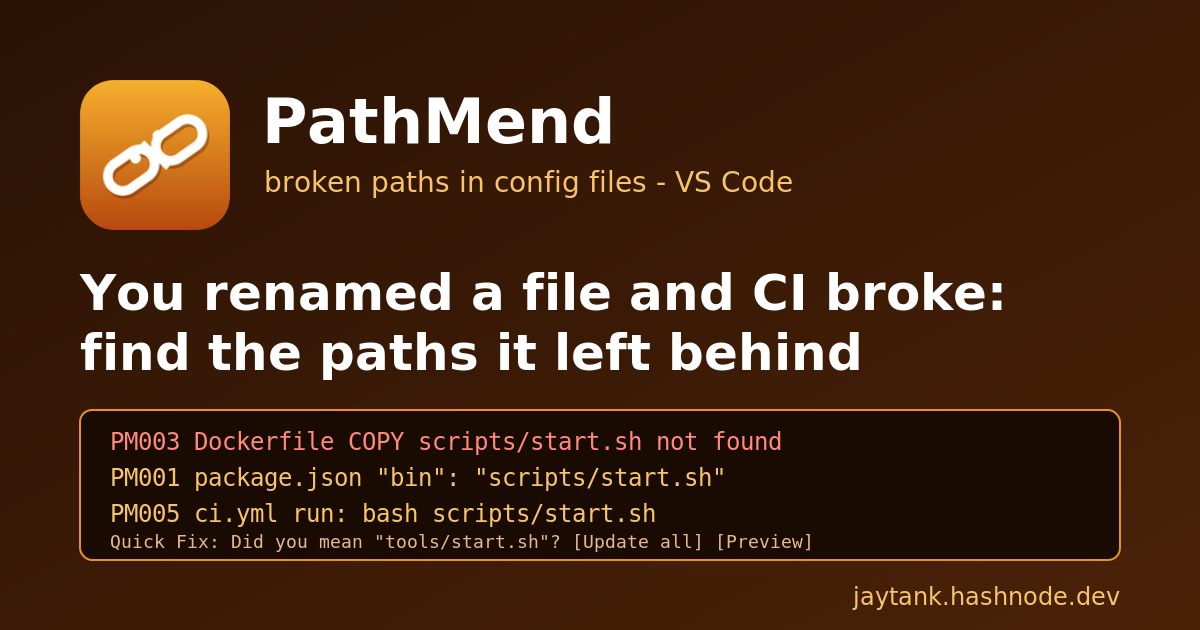
You move scripts/start.sh to tools/start.sh because the scripts/ folder had become a junk drawer. VS Code updates the imports, the unit tests pass, the diff looks tidy, and you push. Nobody checks for broken paths in the config files.
Ten minutes later CI is red. The image build stops with COPY failed: file not found in build context. Or the build is fine, but the next release of your package installs a bin that points at nothing. Or a workflow step fails with bash: scripts/start.sh: No such file or directory. Or nothing fails at all, and three weeks later somebody notices that the docs team stopped getting review requests, because CODEOWNERS still lists a folder that no longer exists.
Every one of these is the same bug: a config file refers to a file by a plain string, and the move did not update the string.
TL;DR: refactoring tools update paths in code, not in config files.
package.json,tsconfig.json, Dockerfiles, Compose files, GitHub Actions workflows,.gitlab-ci.yml,CODEOWNERSandlaunch.jsonall hold file paths that nothing checks until CI or a release uses them. After a move, grep for the old path. Or install PathMend, which marks broken config paths in the editor, suggests the moved file, and offers to update every reference when you rename in VS Code.
Why a rename breaks config files and not code
When you rename a file in VS Code, the TypeScript and JavaScript language service knows which import statements point at it and rewrites them. That works because imports are part of a language the editor understands.
Config files are different. To the editor, this is just a string:
{ "bin": { "mytool": "scripts/start.sh" } }
So is this:
COPY scripts/start.sh /usr/local/bin/start.sh
And this:
- run: bash scripts/start.sh
  working-directory: services/api
No language service owns them, so nothing updates them on a move and nothing complains when they go stale. The error only shows up when a tool finally resolves the string: docker build, npm pack, the Actions runner, GitHub's review assignment. That is usually in CI, sometimes after a release, and occasionally never in a way anybody notices.
In my DevOps work this is one of the most common "but I only moved a file" failures. The code change is correct. The config files around it are what broke.
It happens to everyone
A few public examples of the same failure, in different files:
package.json
main- react-native-reanimated shipped a release whosemainpointed to a file that did not exist in the published package (software-mansion/react-native-reanimated#3026).Dockerfile
COPY- the classicCOPY failed: file not found in build context or excluded by .dockerignoremessage, here fortarget/swarmpit.jar(swarmpit/swarmpit#651) and foryarn.lock(vercel/next.js discussion #33338).Docker build context - "What's the Context for COPY?", where none of the
COPYlines worked in CI because the paths did not match the build context (docker/build-push-action#97).GitHub Actions scripts - "No such file or directory for additional scripts", a script path resolved from the wrong place (community discussion #25197).
CODEOWNERS - GitHub's own docs note that paths must be cased correctly and that lines with invalid syntax are skipped (About code owners). A pattern for a folder you moved is not an error at all: it just matches nothing, so no owner is requested.
That last one is the worst kind: no red build, just a process that quietly stopped working.
Finding broken paths after a rename, by hand
If CI is red right now, here is the manual route.
1. Search for the old path everywhere, not just in code.
# the old path, including hidden folders like .github
git grep -n "scripts/start.sh"
git grep -n "scripts/" -- '*.json' '*.yml' '*.yaml' 'Dockerfile*' '*/CODEOWNERS' CODEOWNERS
2. Check the usual suspects one by one.
package.json:main,module,types,bin,exports,files,workspaces.tsconfig.json:extends,include,files,references.Dockerfiles: every
COPYandADDsource, relative to the build context, not the Dockerfile.Compose files:
build.contextandbuild.dockerfile.Workflows:
working-directory, localuses: ./...actions, and scripts called fromrun:.CODEOWNERS,.gitlab-ci.ymlincludes,.vscode/launch.json.
3. Verify before you push. Run docker build with the same context as CI, npm pack --dry-run to see what the package really contains, and look at CODEOWNERS on GitHub, which highlights syntax errors (but not paths that match nothing).
This works, but it relies on remembering the list every time, and git grep only finds the exact string you thought of. A typo like tsconfig.bse.json or a COPY source that was always wrong will not show up.
PathMend: check config file paths in the editor
I built PathMend to catch this before the push. It is a free VS Code extension that reads your config files, checks that every file path in them exists, and puts a squiggle on the exact string when it does not.
code --install-extension jaytankdev.pathmend
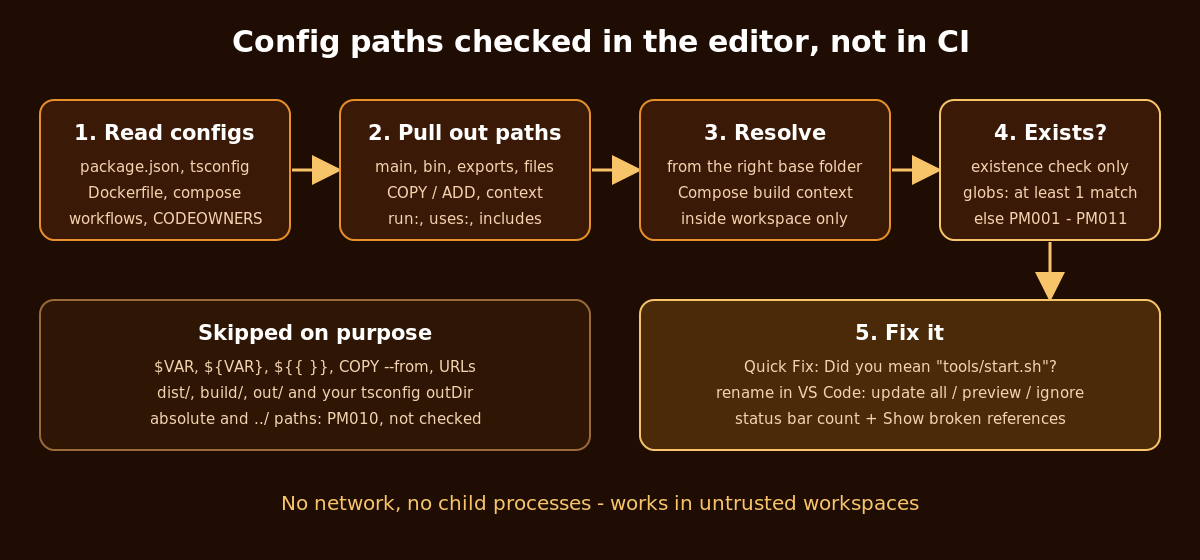
It checks these files:
| File | What it checks |
|---|---|
package.json |
main (with Node's .js / index.js fallbacks), module, types, typings, browser, bin, exports (including * patterns), files, workspaces |
tsconfig*.json, jsconfig*.json |
relative extends, files, include, references (the folder must contain a tsconfig.json), compilerOptions.baseUrl, typeRoots and paths targets |
Dockerfile, Dockerfile.*, *.Dockerfile, Containerfile |
COPY / ADD sources in shell and JSON form, against the build context |
docker-compose*.yml, compose*.yaml |
build / build.context and build.dockerfile |
.github/workflows/*.yml, action.yml |
working-directory, local uses: ./..., reusable workflows, scripts started from run: |
.gitlab-ci.yml |
local include: files, including globs |
CODEOWNERS |
patterns without wildcards |
.vscode/launch.json |
program and cwd that start with ${workspaceFolder} |
Each problem gets its own rule code:
| Code | Meaning |
|---|---|
| PM001 | package.json path not found |
| PM002 | tsconfig / jsconfig path not found |
| PM003 | Dockerfile COPY / ADD source not found |
| PM004 | Compose build context / dockerfile not found |
| PM005 | GitHub Actions path not found |
| PM006 | CODEOWNERS path not found |
| PM007 | launch.json path not found |
| PM008 | GitLab CI local include not found |
| PM009 | Glob matches no files |
| PM010 | Resolves outside the workspace - not checked (Information) |
| PM011 | COPY / ADD source outside the Docker build context |
PathMend also has its own icon in the activity bar with a badge for the number of broken references. Its Broken References panel groups them by config file, names the exact path on each row (for example PM003 scripts/start.sh) and has an inline Apply suggested path button.
Three things make it useful rather than noisy:
"Did you mean ...?" Quick Fix. For a missing path, PathMend looks for the closest real file: the same file name in another folder first (the "I moved it" case), otherwise a close spelling. The fix keeps your style, such as a leading ./, a leading / in CODEOWNERS, or ${workspaceFolder} in launch.json. For Dockerfiles it only suggests files inside the build context.
Rename and move awareness. When you rename or move a file or folder inside VS Code, PathMend compares against the references it saw before the move and asks:
3 config references still point to scripts - update all?
Update all rewrites and saves those config files, Preview opens the normal refactor preview so you can untick edits, and Ignore leaves them as regular diagnostics.
It knows the build context. When a Compose file points at a Dockerfile, COPY sources are resolved against that Compose context, and a source that climbs out of it (COPY ../../src /src) is reported as PM011, the "forbidden path outside the build context" error you would otherwise meet in CI.
It also stays out of the way of things that are not real mistakes. COPY --from=<stage>, URLs, anything with $VAR, ${VAR} or ${{ }}, and bare package names in extends are skipped. References into build output folders (build/, out/, coverage/, target/, .next/, plus the outDir of your tsconfigs) are not checked, so "main": "build/index.js" is not flagged just because you have not built yet. A glob is fine as long as it matches at least one file.
The status bar shows the number of broken references. Click it, or run PathMend: Show broken references, to jump to each one. PathMend: Scan workspace rebuilds the index and re-checks everything. Settings let you change the severity (pathmend.severity, default warning), turn off rules (pathmend.disabledRules), exclude folders (pathmend.exclude) or switch off the rename prompt (pathmend.renameUpdates: "off").
Privacy and safety
An extension that follows paths from config files you might not have written should be careful about where those paths lead.
No network, no telemetry, no child processes. PathMend never runs git, docker, node or anything else.
Only config files are read. Referenced files are only checked for existence; their contents are never opened.
Nothing outside the workspace is touched. A path is resolved first and only checked if it lies inside a workspace folder. Symlinks are followed one step at a time, and a link that leads outside stops the check. Absolute paths and
../escapes are reported as PM010 instead of being looked up.Works in untrusted workspaces, because it only reads config files and checks whether paths exist.
Edits only happen when you pick a Quick Fix or a rename update, and only in config files inside the workspace.
Limitations
Honest list, so you know where it stops:
The Docker build context is only known when a Compose file points at the Dockerfile. A context given on the command line (
docker build -f docker/Dockerfile .) or indocker/build-push-actionis not read, so a source is accepted if it exists relative to the Dockerfile folder or any parent up to the workspace root..dockerignoreis not applied.The YAML reader is line-oriented. Multi-line flow collections and
<<:merges are not followed.run:scripts are only recognised in command position (./x.sh, or afterbash,sh,python,nodeand similar). A file created earlier in the same step is reported as missing.Renames done outside VS Code, such as
git mvin a terminal, are not seen as renames. The stale references still show up as broken, but there is no "update all" prompt.Makefile prerequisites and JS-based configs (ESLint flat config, most Jest configs) are not read, because PathMend never executes code. tsconfig
pathsare skipped whenbaseUrlcomes from a package inextends.Glob matching and suggestions use an index of up to
pathmend.maxIndexedFiles(20,000) files. In a bigger workspace, unmatched globs are not reported.
FAQ
Does VS Code not already update these on rename? It updates imports in code through the language service. Config file strings like bin, COPY sources or working-directory are not part of that.
Will it flag dist/index.js before I build? No. dist/ is excluded by default, common build output folders are ignored, and your tsconfig outDir is added automatically.
Does it work in a monorepo? Yes. Each package.json and tsconfig is resolved from its own folder, workflows from the repository root or the effective working-directory, and multi-root workspaces are supported.
Can it break my files? It only edits when you accept a Quick Fix or a rename update, and Preview shows every change first.
Does it replace CI? No. CI is still the real test. PathMend just moves the most common "only moved a file" failure from the pipeline to the editor.
Try it
Marketplace: PathMend
Install:
code --install-extension jaytankdev.pathmendSource (MIT): github.com/jay-tank/pathmend
If it misses a broken path, or flags one that is fine, please open an issue with the config snippet. False positives are bugs, and those reports are how the checks get better.